

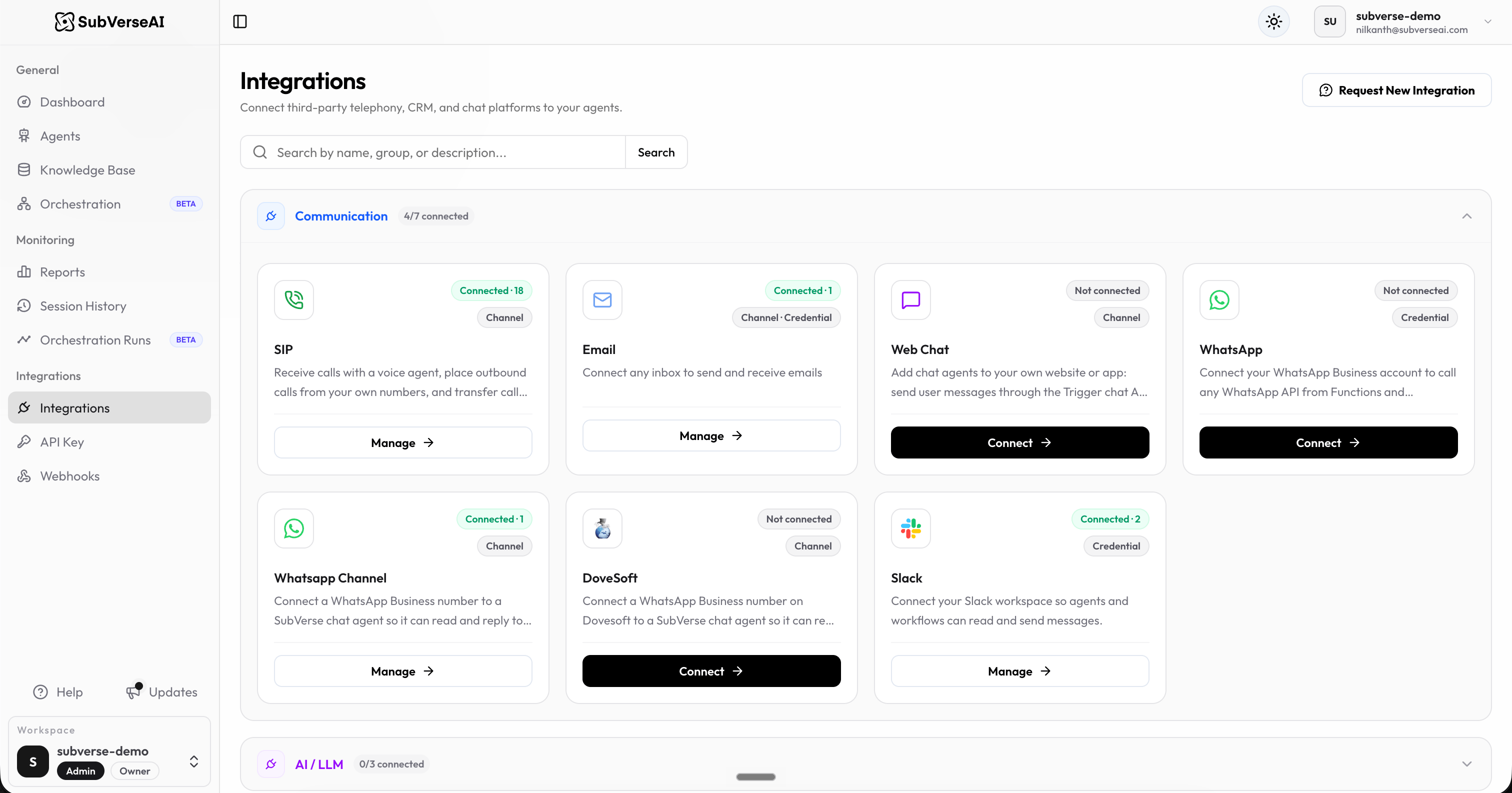
Connection types
Each integration card shows how it connects to SubVerse:
Some integrations, such as Email, support both.
Connect an integration
- Go to Integrations in the SubVerse dashboard.
- Find the integration by browsing the groups or searching by name, group, or description.
- Select Connect to add a new connection, or Manage to view or change existing ones.
- Open the integration’s Documentation tab for step-by-step setup.
Communication
SIP
Receive calls with a voice agent, place outbound calls from your own numbers, and transfer calls to your human team
Connect any inbox to send and receive emails
Web Chat
Add chat agents to your own website or app through the Trigger chat API and your webhook
Call any WhatsApp API from Functions and Orchestrations, and start workflows from WhatsApp events
WhatsApp Channel
Connect a WhatsApp Business number to a chat agent so it can reply to customers
Dovesoft
Connect a WhatsApp Business number on Dovesoft to a chat agent
Slack
Let agents and workflows read and send messages in your Slack workspace
AI / LLM
OpenAI
Use your own OpenAI account and API key
Google AI (Gemini)
Use your own Gemini API key
Claude (Anthropic)
Use your own Anthropic account and API key
E-commerce
Shopify
Let agents and workflows read and manage orders and products
CRMs
Airtable
Read, create, and update records in your bases
Google Sheets
Read, add, and update rows in your sheets
Freshdesk
Read, create, and update helpdesk tickets
Database & Storage
AWS S3
Upload, read, and manage files in your own S3 bucket
API & Authentication
REST APIs
Connect any system with a REST API, using the authentication it expects
Platform
Agentic Functions
Hook into pre-session, during-session, and post-session phases with custom functions, background agents, and handoffs
Knowledge Base
Store and manage documents that your AI agents can reference during interactions
Webhooks
Receive real-time event notifications when calls complete or workflows execute
API Keys
Manage secure API keys for integrating your AI agents with external applications