

Shopify OAuth2 API Credentials
Shopify OAuth2 API credentials allow your SubverseAI agents to authenticate with Shopify stores using the OAuth2 standard for secure API access.Overview
Shopify OAuth2 credentials provide access to:- OAuth2-based Shopify API authentication
- Automatic token refresh
- Secure app integration
- Multi-store management
- Enhanced security workflows
Dashboard Screenshot
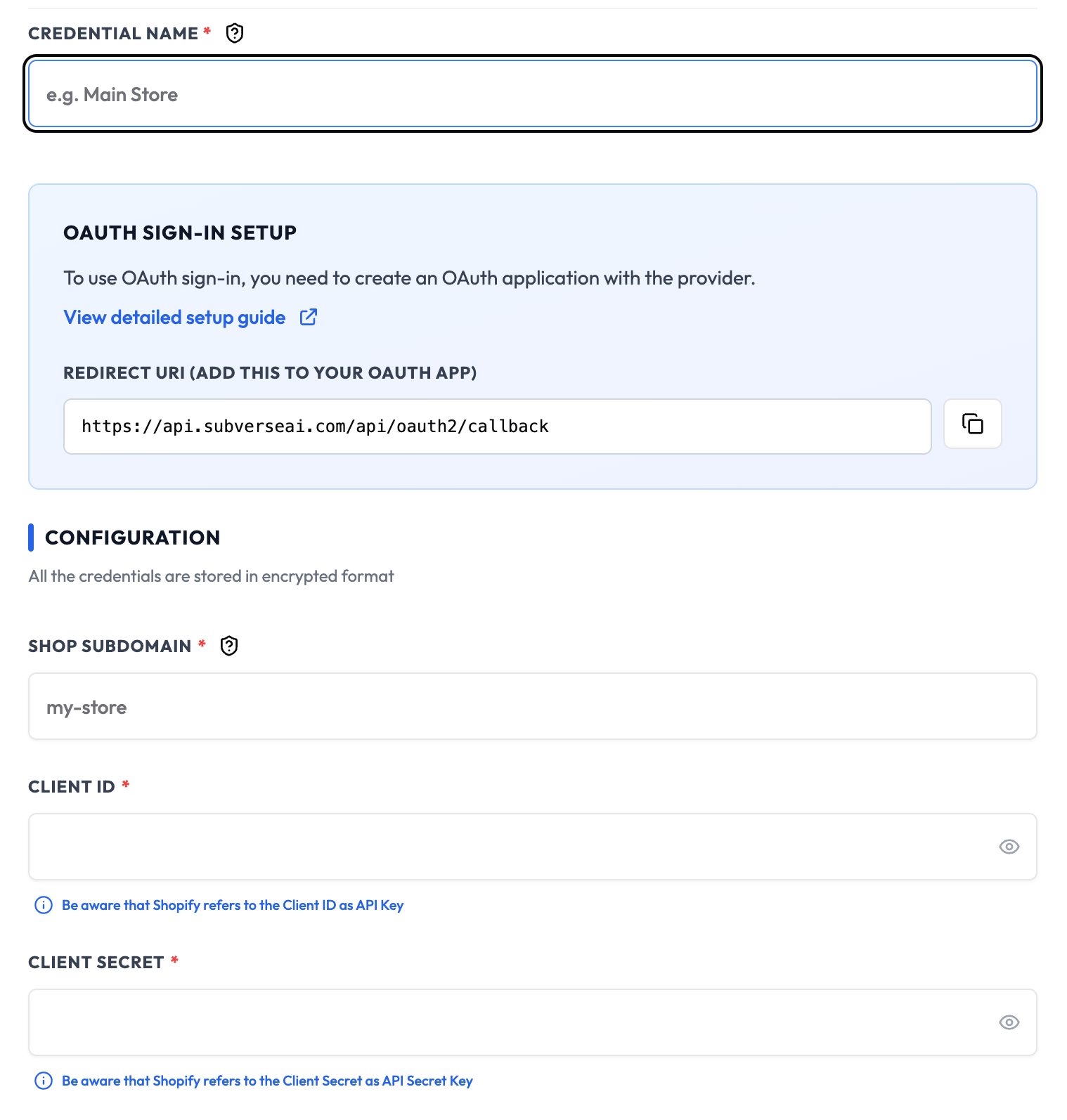
Steps to Create Shopify OAuth2 API Credentials
1. Create Shopify Partners Account
- Visit Shopify Partners
- Create a Partners account or sign in
- Navigate to Apps > Create app
2. Create OAuth2 App
- Click Create app
- Select Build an app
- Enter app name (e.g., “SubverseAI OAuth2 Integration”)
- Select the app developer
- Click Create app
3. Configure OAuth2 Settings
- Go to the Configuration tab
- In the App credentials section, note:
- API key (Client ID)
- API secret key (Client Secret)
- Set the Redirection URL to your SubverseAI callback URL
- Configure the required Admin API access scopes
4. Add to SubverseAI
- Go to Credentials in your SubverseAI dashboard
- Click Create New Credential
- Select Shopify OAuth2 API from the credential types
- Enter a name for your credential
- Fill in the required fields:
- Client ID: Your Shopify app API key
- Client Secret: Your Shopify app API secret
- Store URL: Your Shopify store domain
- Scope: Required permissions (comma-separated)
- Redirect URI: OAuth2 callback URL
- Click Test Connection to verify the credentials work
- Click Save Credential
Required Fields
- Name: A descriptive name for your credential
- Client ID: Your Shopify app API key
- Client Secret: Your Shopify app API secret
- Store URL: Your Shopify store domain
- Scope: Required permissions (comma-separated)
- Redirect URI: OAuth2 callback URL
Usage Tips
- Use the minimum required scopes for your use case
- Test with development stores before production
- Monitor token refresh and expiration
- Use separate apps for different environments
Troubleshooting
Invalid Client: Verify Client ID and Secret are correct Redirect URI Mismatch: Ensure the redirect URI matches exactly Scope Insufficient: Add required Admin API scopes Store Not Found: Verify the store URL is correct and accessibleNext Steps
After creating your Shopify OAuth2 credentials:- Set up OAuth2 authentication workflows
- Configure automatic token refresh
- Build multi-store management systems
- Test API endpoints and permissions
- Monitor authentication success rates