

OpenAI API Credentials
OpenAI API credentials allow your SubverseAI agents to access GPT models and other OpenAI services for AI-powered workflows.Overview
OpenAI credentials provide access to:- GPT-3.5, GPT-4, and GPT-4 Turbo models
- Text completion and chat completion APIs
- Embedding models for vector search
- Fine-tuning capabilities
- DALL-E image generation
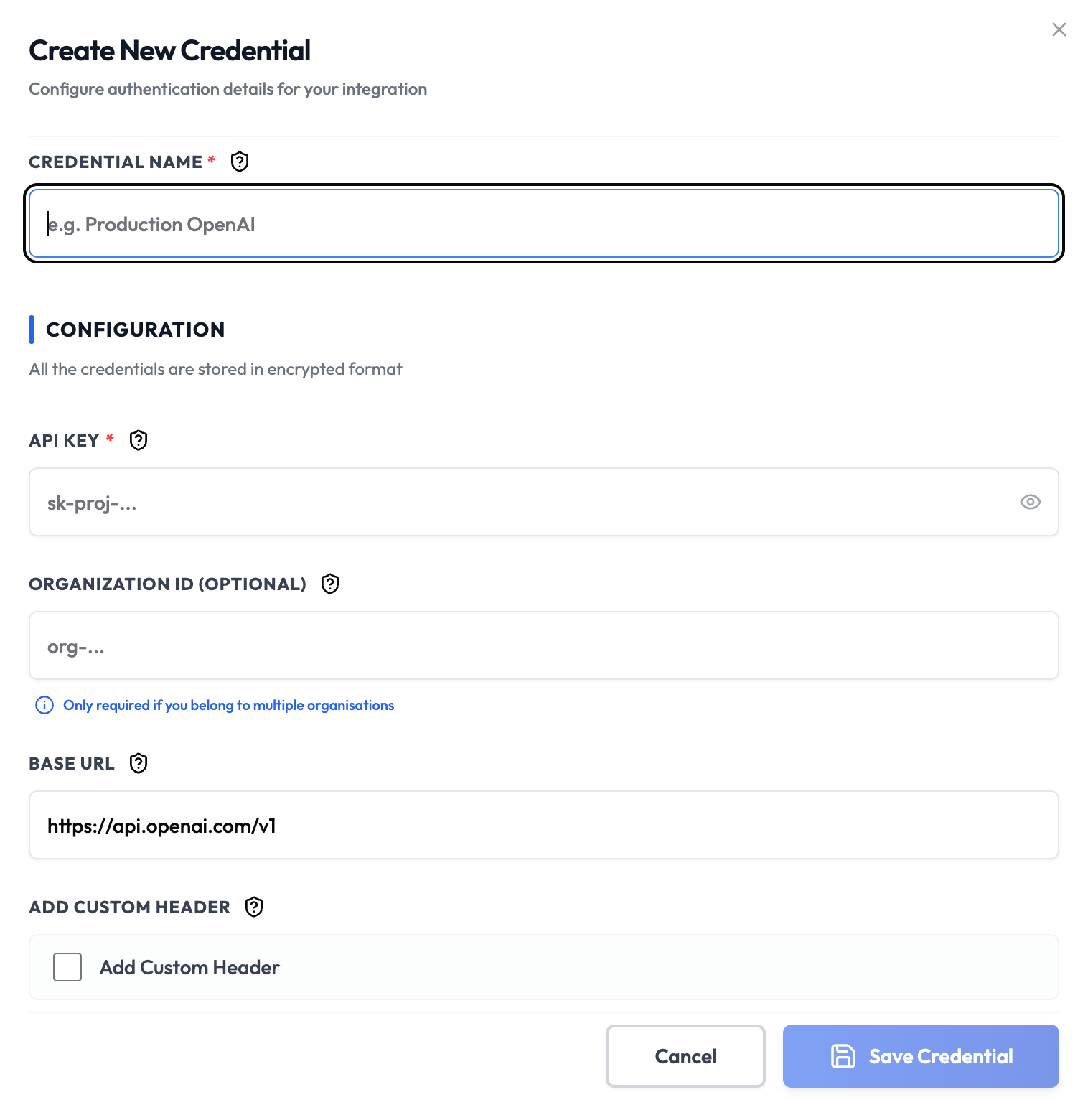
Dashboard Screenshot
Steps to Create OpenAI API Credentials
1. Create OpenAI Account
- Visit OpenAI Platform
- Click Sign up and create your account
- Verify your email address
2. Generate API Key
- Navigate to the API Keys section
- Click Create new secret key
- Give your key a descriptive name (e.g., “SubverseAI Production”)
- Copy the secret key immediately - it won’t be shown again
3. Add to SubverseAI
- Go to Credentials in your SubverseAI dashboard
- Click Create New Credential
- Select OpenAI API from the credential types
- Enter a name for your credential (e.g., “Production OpenAI”)
- Paste your API key in the API Key field
- Optionally specify an Organization ID if you’re part of an OpenAI organization
- Click Save Credential
Required Fields
- Name: A descriptive name for your credential
- API Key: Your OpenAI API secret key (starts with
sk-) - Organization ID (optional): Your OpenAI organization ID
Usage Tips
- Use different API keys for development and production environments
- Monitor your API usage in the OpenAI dashboard to avoid unexpected charges
- Consider setting usage limits in your OpenAI account settings
- Rotate your API keys regularly for security
Troubleshooting
Invalid API Key: Ensure you copied the full key including thesk- prefix
Rate Limit Exceeded: Check your usage limits in the OpenAI dashboard
Organization Required: If you’re part of an organization, make sure to include the Organization ID
Next Steps
After creating your OpenAI credentials:- Use them in AI workflow nodes for text generation
- Set up chat completion workflows
- Configure embedding models for vector search
- Monitor usage and costs in your SubverseAI dashboard